// 01 Context
Everyone talks to AI now. Dashboards still make you dig.
nOps helps companies spend less on Amazon Web Services (AWS), and all the cost data was there, in dashboards. But even a well-designed dashboard takes time: you set filters, move between pages and dig from one resource into another until you reach what you want.
Clara was the bet that you could just type what you want to see and get it. It launched in July 2025 and reached every nOps customer by November. We were a team of three: a product manager, one engineer and me. I designed all of it and coded parts of the front end myself.
Primer · An AI agent in one minute[ + ][ − ]
A chatbot answers questions. An agent also looks things up in your own data, runs checks on a schedule without being asked, and prepares the next step for you to approve.
Think of a colleague who knows your cloud bill by heart: you ask, they check the numbers, show their work and hand you the fix to sign off.
// 02 Problem
Every new question depended on knowing where to click
Getting an answer meant working through dashboards of all your costs, or asking a FinOps expert (someone who manages cloud bills) or one of nOps’ solutions experts. And an answer still wasn’t a fix: someone had to work out the change and make it somewhere else.
- 25%
- of employees use data dashboards
- ~2
- FinOps people at a company spending under $15M a year
- #1
- FinOps challenge until 2024: getting engineers to act
BARC and Eckerson study
State of FinOps · 2026
FinOps Foundation
- 01
A question
- 02
Find the view
Which dashboard, which filters, which dates?
- 03
Dig in
From a resource into the one inside it, page after page
- 04
Read it
A chart shows the spike, not the cause
- 05
Act
The fix happens in another tool
- Success meant
- Anyone, not just FinOps experts, can find any cost, export a report, act on it and schedule it.
- Constraints
- Answers about money must show where they came from, and nothing changes without a yes.
// 03 Turning point
From a better dashboard to a plain question
The principle
“Stop making people dig. Let them ask.”
The first instinct was to make the dashboards easier. But an account can hold a huge number of resources, from storage to servers, and one answer could still mean setting dates, opening page after page, drilling into a resource and exporting a CSV. A better layout wouldn’t change that. So the interface became a conversation: you ask in plain words, and Clara finds the spike or the waste and offers what to do next.
// 04 Decisions
Three calls that made an answer worth acting on
What does a good answer look like?
Text, charts and tables, linked to the right screen
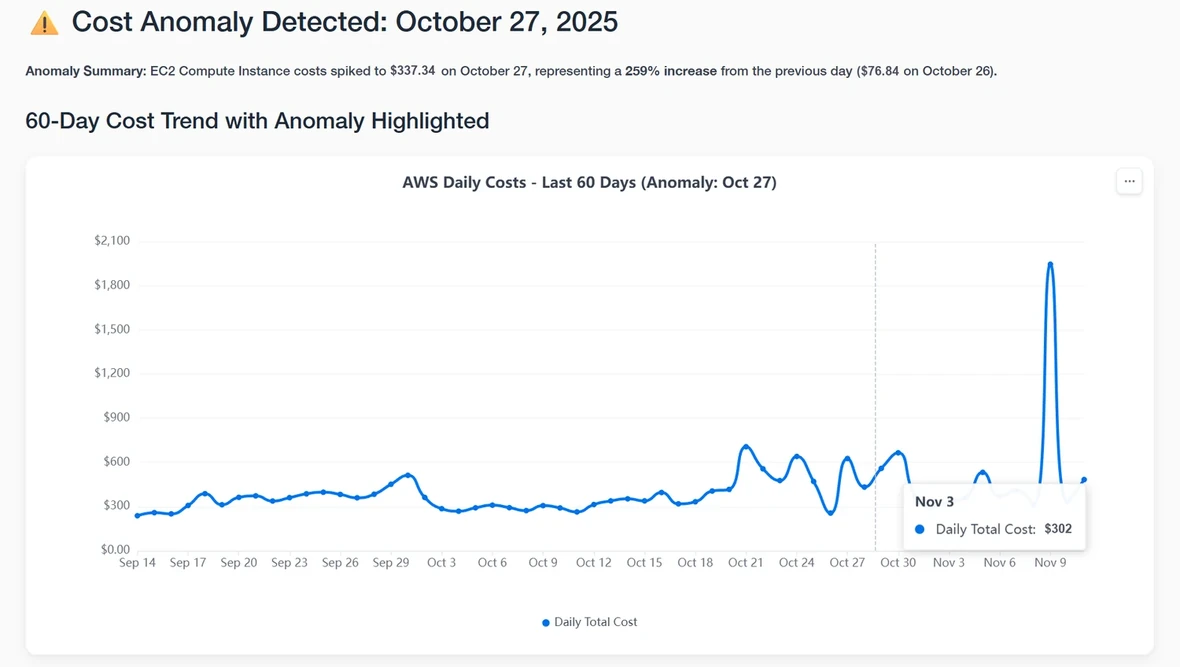
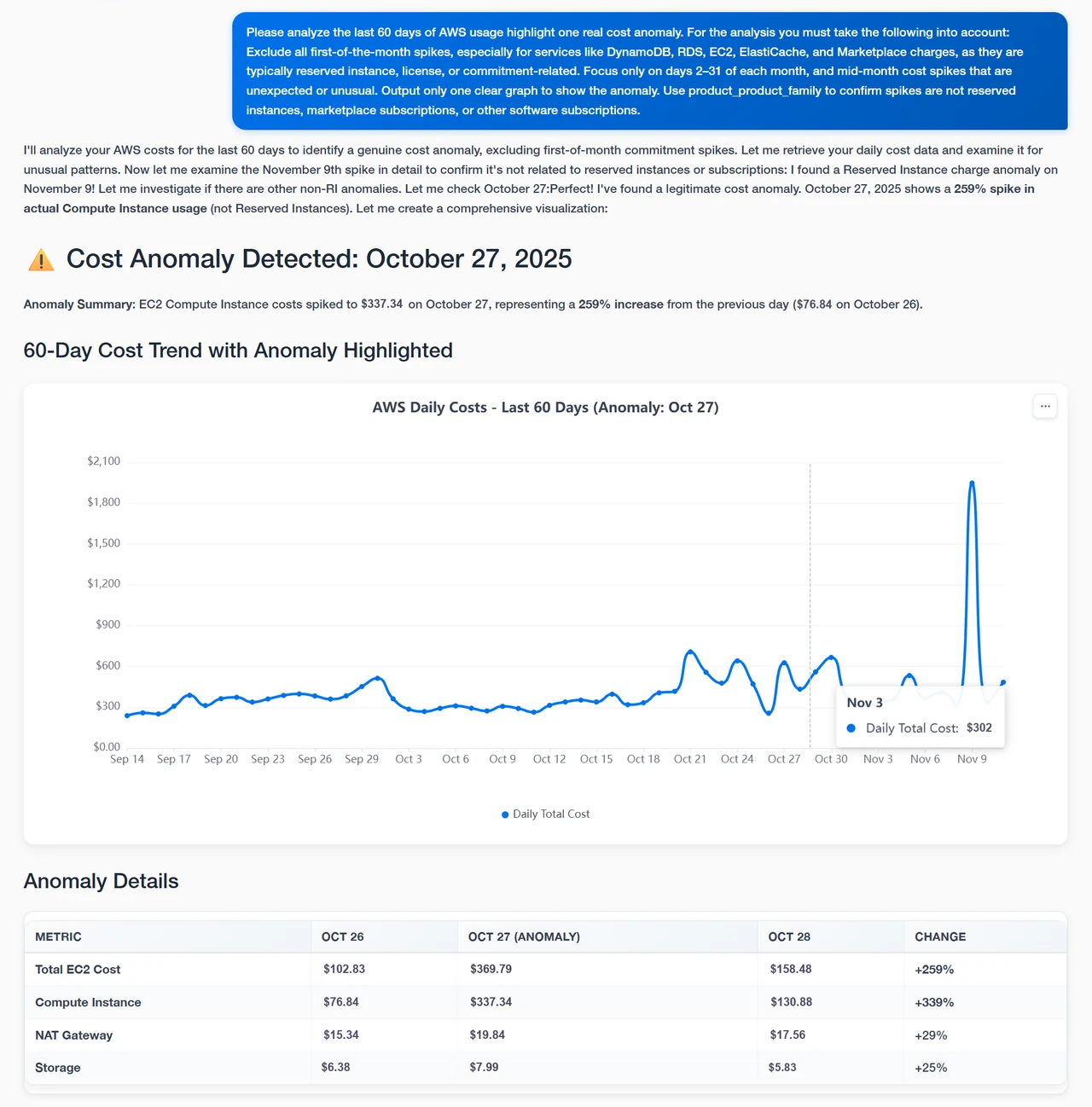
An answer opens with the finding in one line, then shows the chart, the numbers, how it checked them and what to do next. Where it helps, it links to the nOps screen with the same numbers.
- Gave up
- Longer answers, and a layout for each kind of answer.
- What happened
- Charts and tables shipped at launch. Links to the right screen came in September.
Layers · Answer · a cost spike
One real answer, taken apart. Pick a layer to enlarge it.
Should Clara wait to be asked?
Saved questions on a scheduleover Only when asked
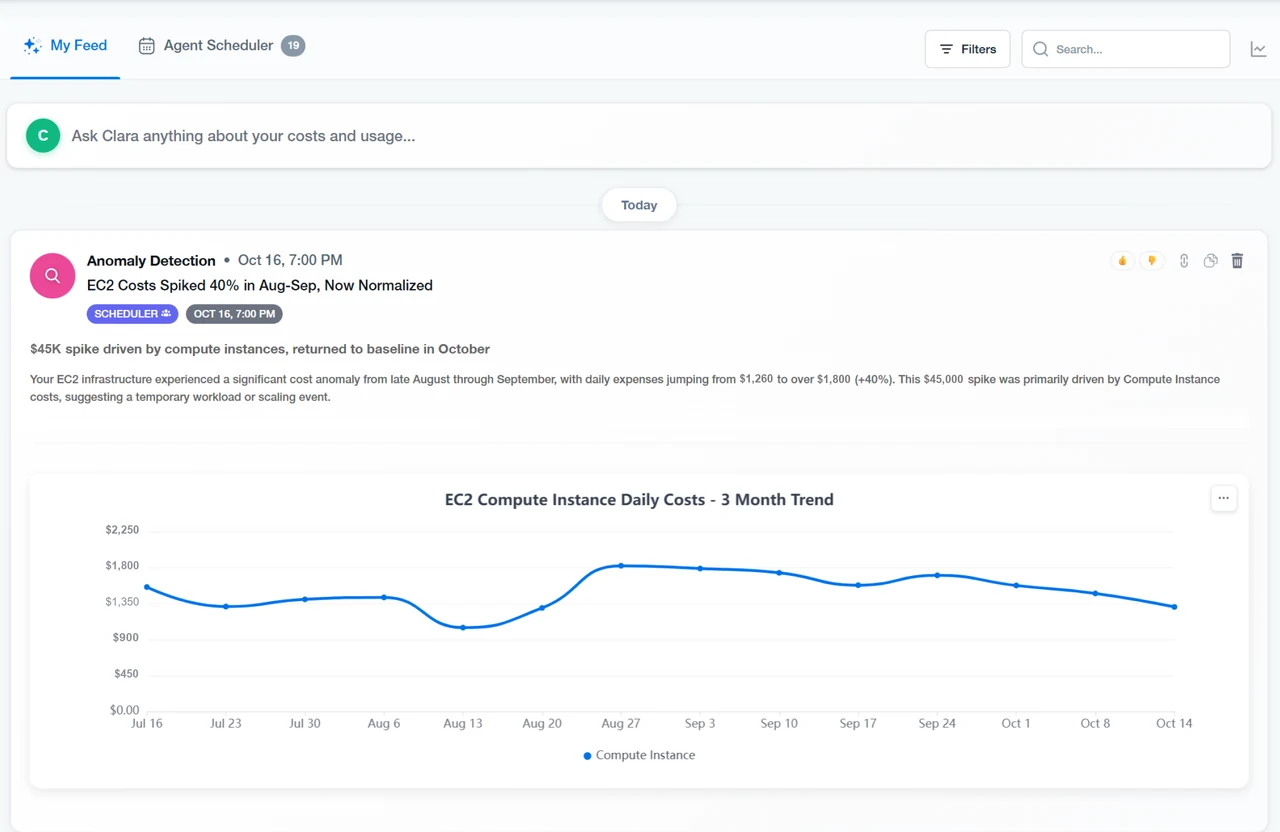
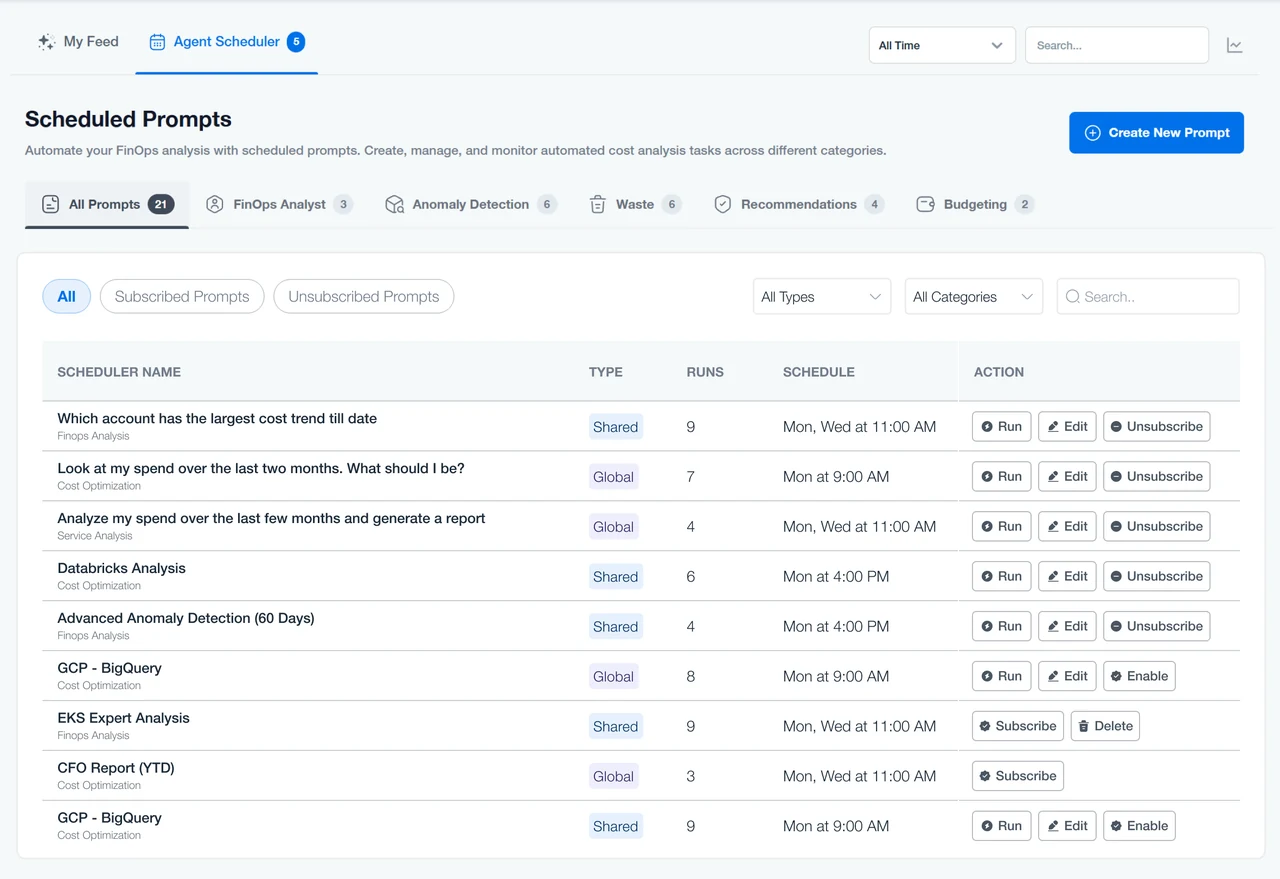
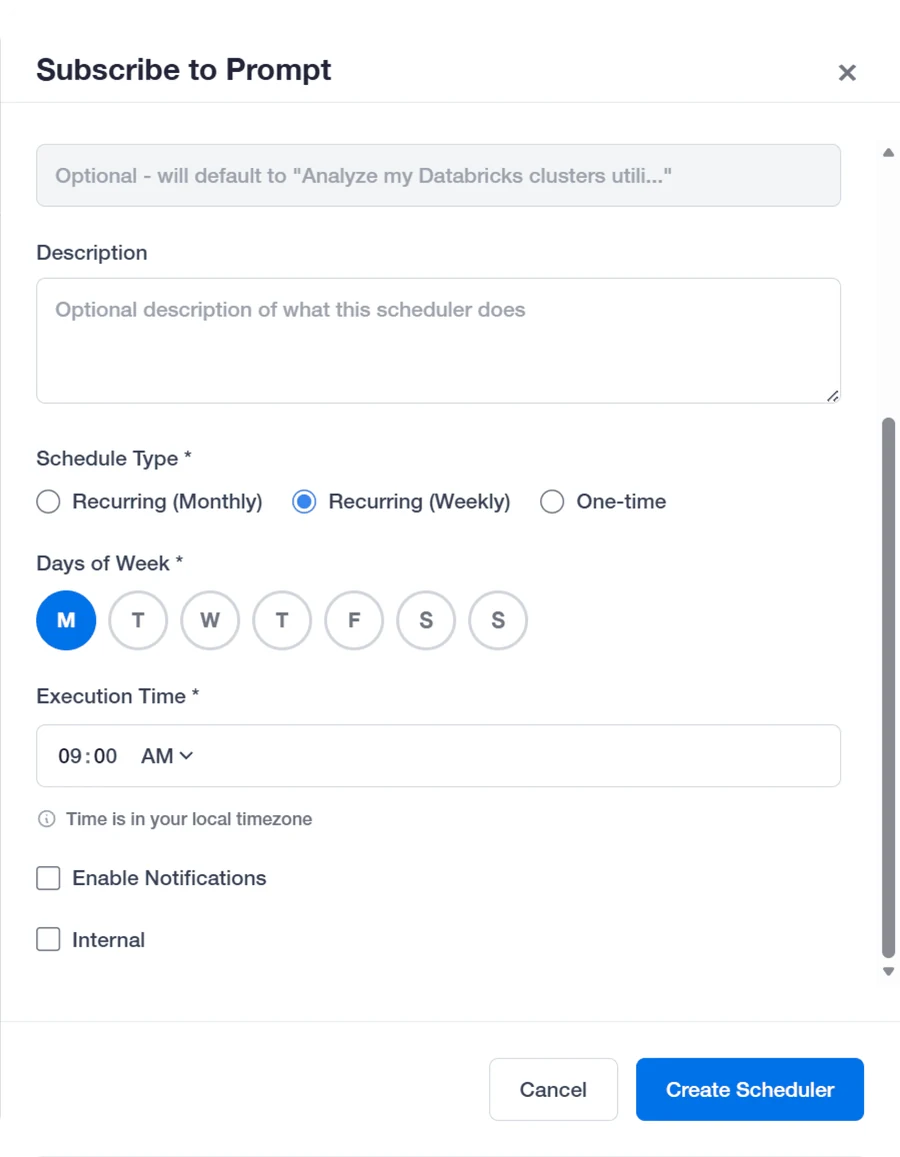
Any question can be saved and scheduled. Clara runs it and posts the answer to the home feed, email or Slack, so a cost spike finds you.
- What happened
- The scheduler shipped at launch with the home feed and email. Slack alerts followed in September 2025.
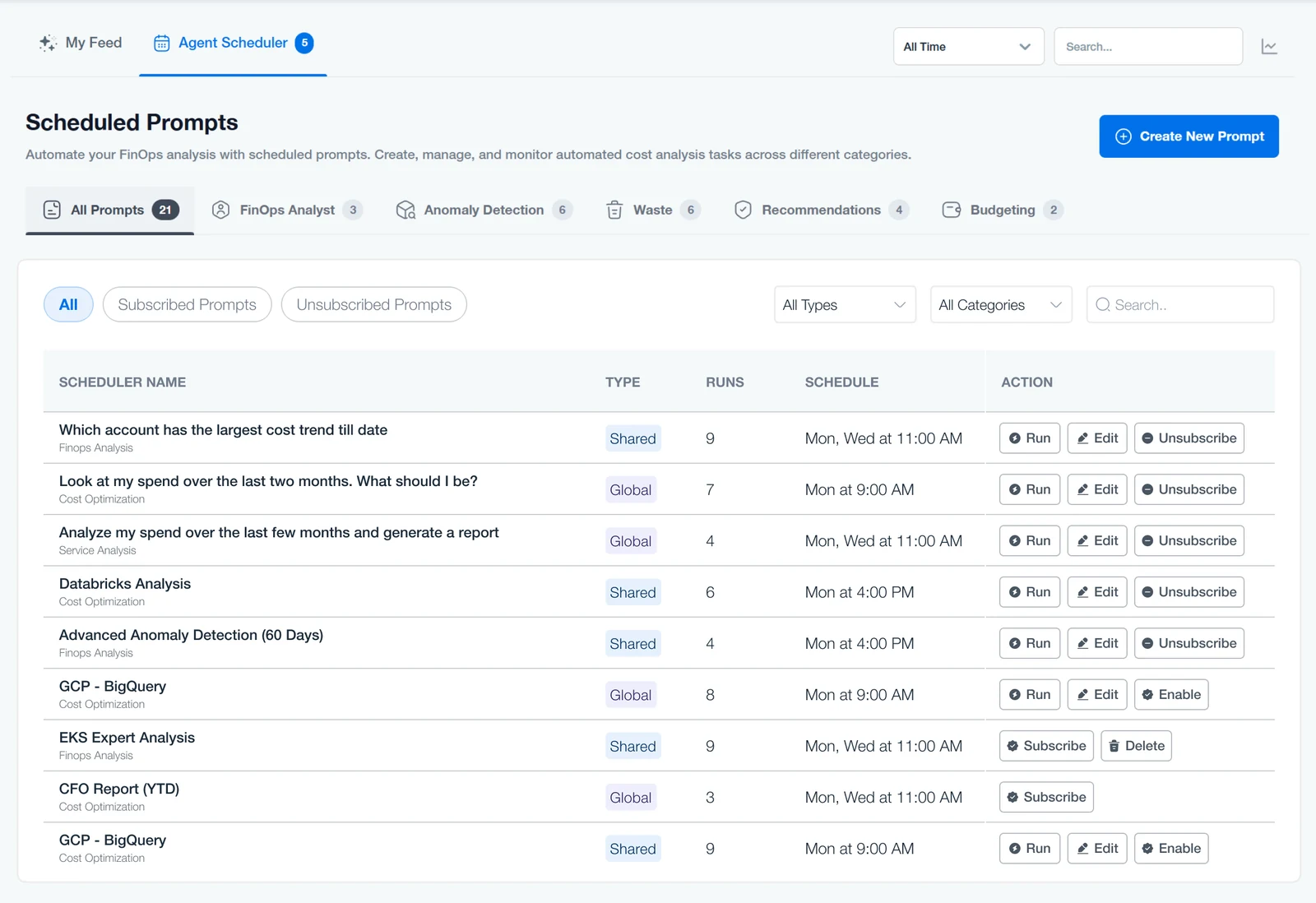
- 01Sorted by type: anomalies, waste, budgets
- 02Each runs on its own, on the days you pick
- 03Run it now, edit it or unsubscribe
How far should Clara go on its own?
Draft the fix, or do the setupover Answer only
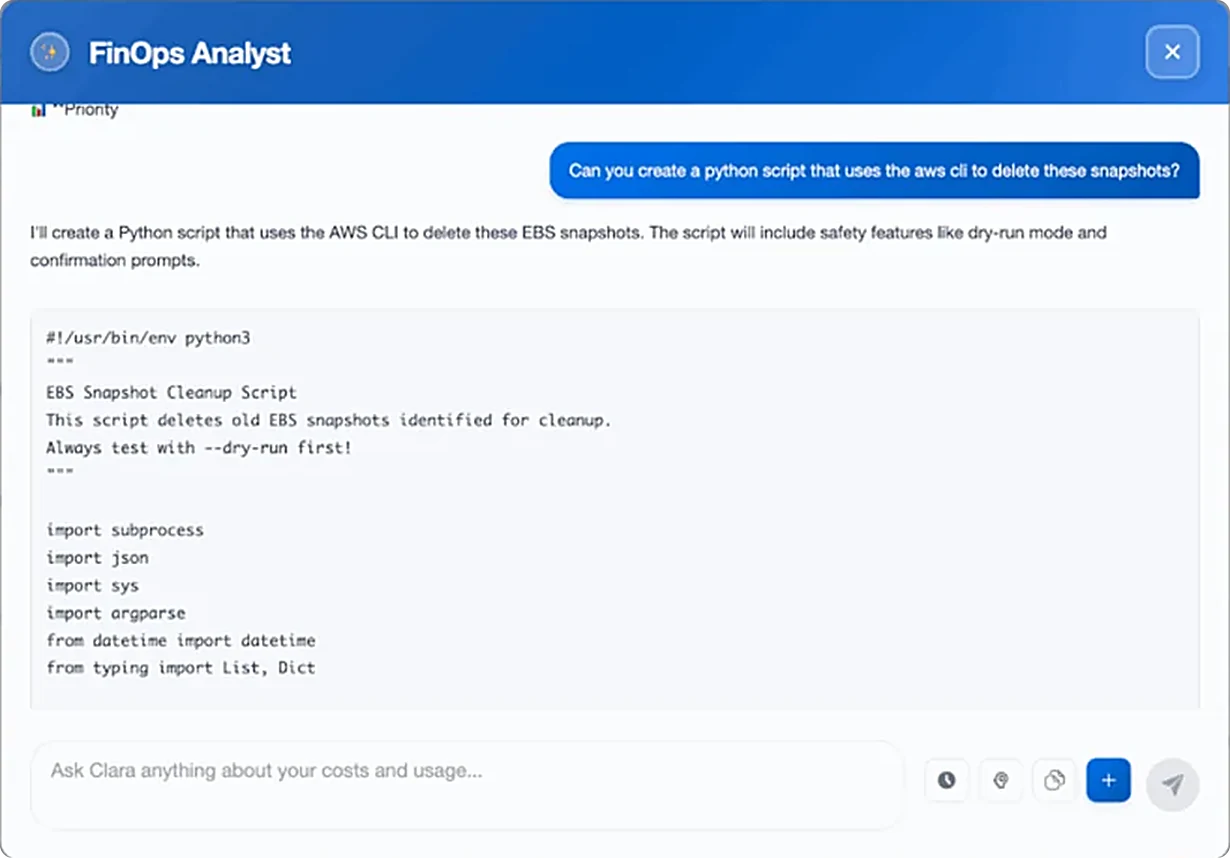
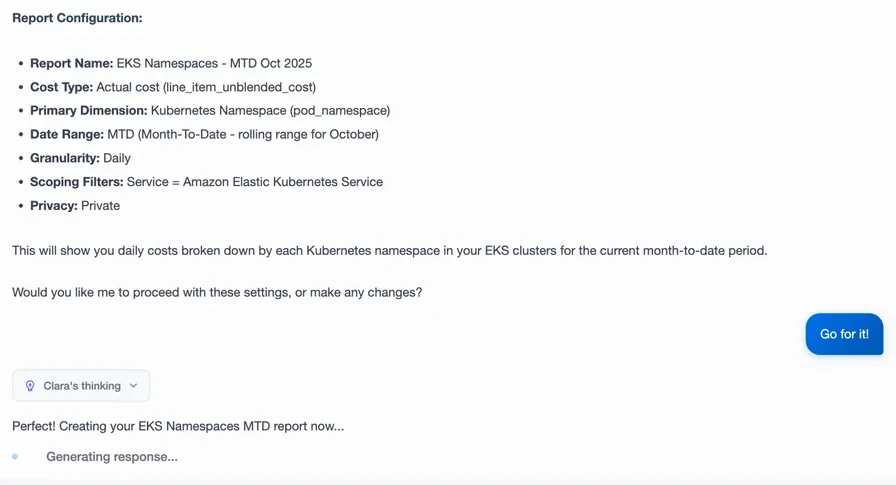
Clara drafts the fix for you to run, like a script with a test mode, or sets things up inside nOps once you say yes. In 2025 it never changed an AWS account itself.
- What happened
- Scripts shipped at launch with a test run built in. Reports (Oct 2025) and cost allocation (Nov 2025) list their settings and wait for a yes.
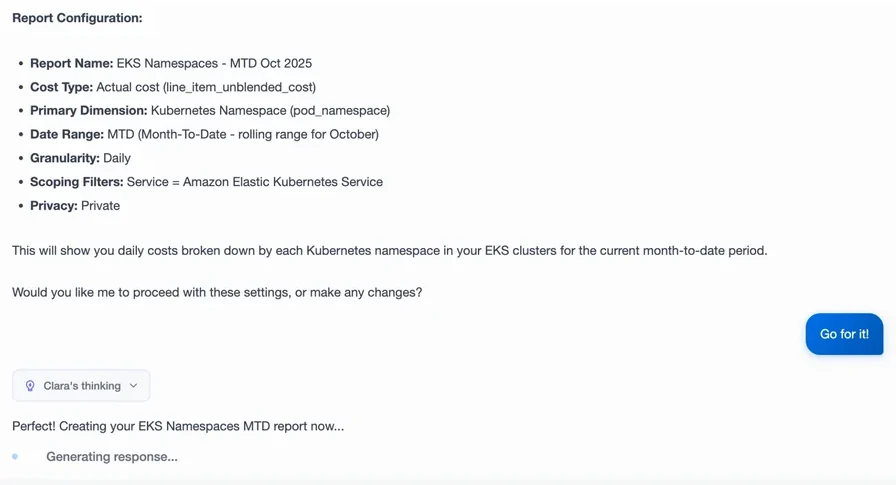
- 01It lists every setting
- 02Then asks before it acts
- 03Nothing runs without a yes
What shipped8 parts
- 01Answers with charts and tables
- 02Anomalies with their cause
- 03Scripts with a test run
- 04Saved questions on a schedule
- 05A home feed, email and Slack
- 06Reports from a chat
- 07Cost allocation by asking
- 08Links to the right screen
// 05 Shipped
Ask in plain words, get the answer and the next step
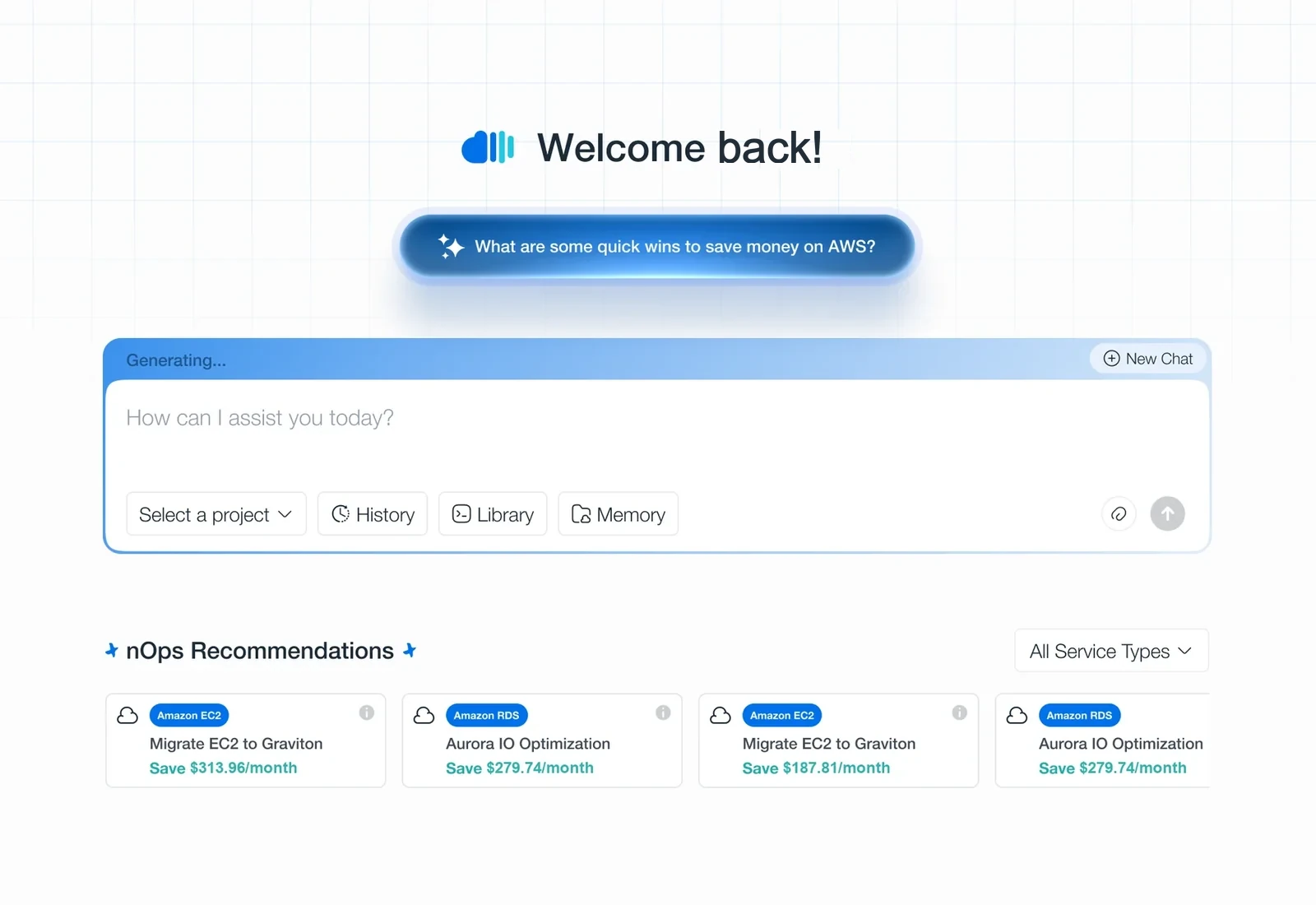
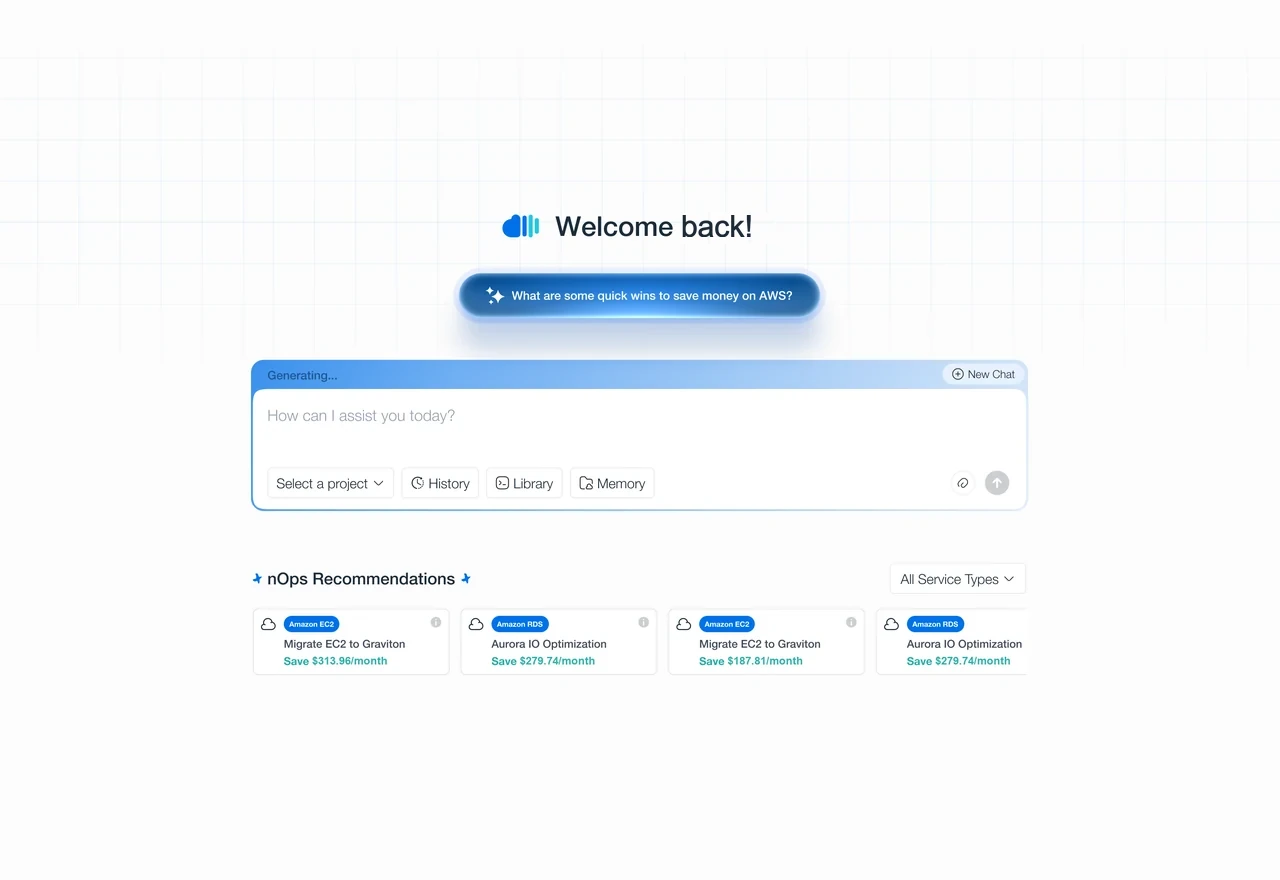
You ask in one box. Clara answers with text, charts and tables, links to the matching nOps screen where it helps, and offers the next step. Questions you care about can run on a schedule and land in your feed, email or Slack.
I coded parts of this interface myself, in Cursor, in the production front end.
// 06 Impact
Every nOps customer within four months
- 4 months
- launch to all customers
- $2B
- a year of AWS spendReach
- 500+
- companies on nOpsReach
nOps · Jul – Nov 2025
nOps · Nov 2025
nOps · Oct 2025
- Jul 2025Launch: answers, scripts, scheduled questions
- Sep 2025Links to the right screen, Slack alerts
- Oct 2025Reports saved from a chat
- Nov 2025Cost allocation by asking, every customer
Clara launched in July 2025 and reached every nOps customer by November. nOps doesn’t publish usage figures for the version I designed, so I don’t claim any. The $2B and 500+ describe the whole platform Clara sits in.
Source · nOps launch post, Jul 2025; press releases, Oct and Nov 2025.
// 07 Reflection
What I learned
- 01An AI will sometimes be wrong. So show where each answer came from, and ask before changing anything.
- 02Building in code with a small team was fast, but I polished details too early.
“Even a great dashboard is work. Asking shouldn’t be.”
// 08 Credits
Credits: the people who made it with me
- Product manager
- Engineer
Customer names stay private, and the figures on the screens are changed. Every number in the text is published.
Next · 04 · Zetalents
Clara opens nOps to anyone who can ask. Next, from a company’s cloud bill to its people: an HR platform with ten modules and one look.
One design system for a whole HR platform →