// 01 Context
Cloud bills hide the waste
nOps helps companies spend less on Amazon Web Services (AWS). It is paid a share of what it saves them, and more than 500 companies use it.
Many run their software on Kubernetes, which shares a pool of servers between many apps. The bill shows the servers, not which app or team used them, so waste is easy to miss. Compute Copilot for EKS (Amazon’s Kubernetes service) cuts that waste automatically. I designed it from the early stages.
Primer · Kubernetes in one minute[ + ][ − ]
Think of rented buses (servers) carrying passengers (apps). You pay for every bus while it drives, full or not.
Compute Copilot keeps the fleet small and cheap on its own: it fills the buses, uses discounts the company already paid for, and switches to cheaper spare buses when that’s safe.
// 02 Problem
Teams couldn’t see where the money went, so nobody fixed it
Finding waste meant matching the bill to the servers by hand, and fixing it meant changing live systems by hand. Most teams never got to it. Even nOps’ own first EKS page (2024) showed totals, not what to fix first.
- 19%
- of teams could see their Kubernetes costs clearly
- 65%
- of apps use less than half of what they reserve
- 78%
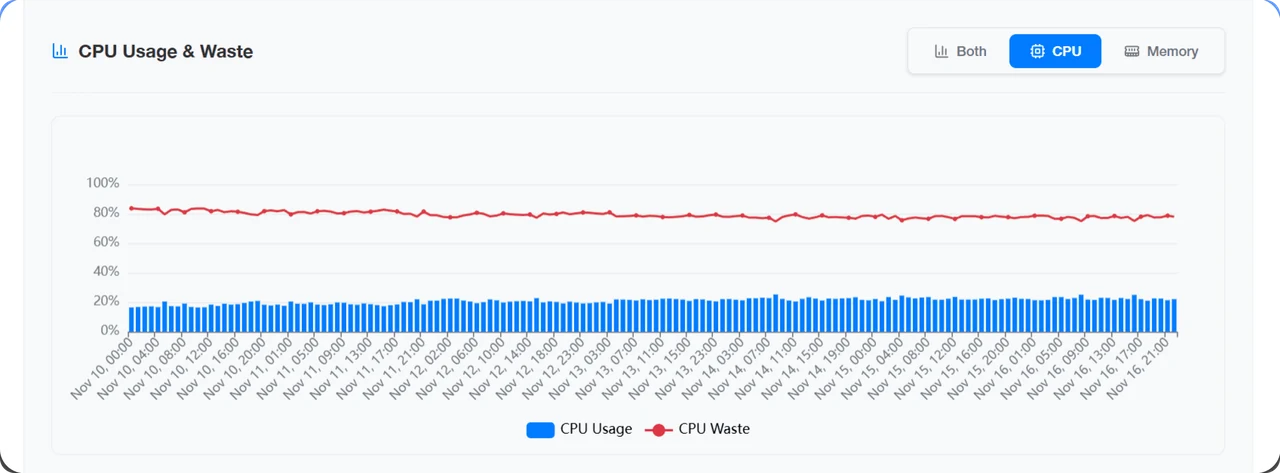
- of the EKS spend nOps studied was wasted
CNCF survey · 2023
Datadog · 2023
nOps study · 2024
- 01
Get the bill
- 02
Find the waste
No cost per app or team
- 03
Fix it
Risky manual changes
- 04
Keep it fixed
Waste creeps back
- Success meant
- Teams switch it on, keep it on, and see the saving on their own bill.
- Constraints
- Live systems: every change had to be safe and easy to undo.
// 03 Turning point
Automation wasn’t the hard part. Trust was.
The principle
“Show the savings first, then ask for the switch”
Engineers were scared to let software change a live system they couldn’t see inside. So the product had to show its work: where every dollar goes, a score for every cluster, and a one-click undo for every rightsizing change.
// 04 Decisions
Three calls that made it trustworthy
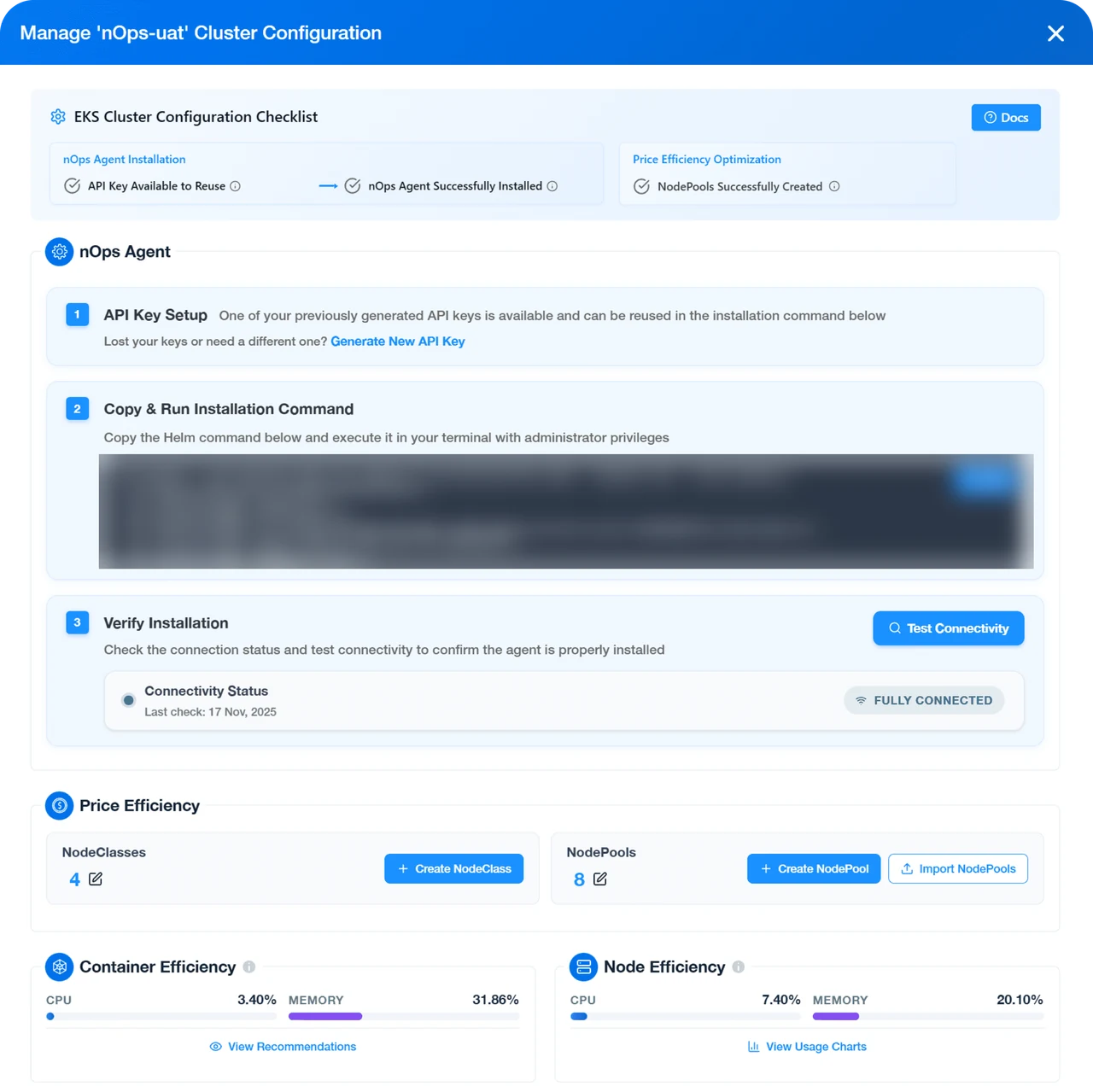
How does a team get from sign-up to savings?
A guided setup, with an expert on callover Self-serve only
A short checklist experts finish alone, with a nOps expert on a call for teams that want one.
- Gave up
- Help for newcomers depends on people’s calendars.
- What happened
- Experts mostly set it up alone; newer teams asked for a person.
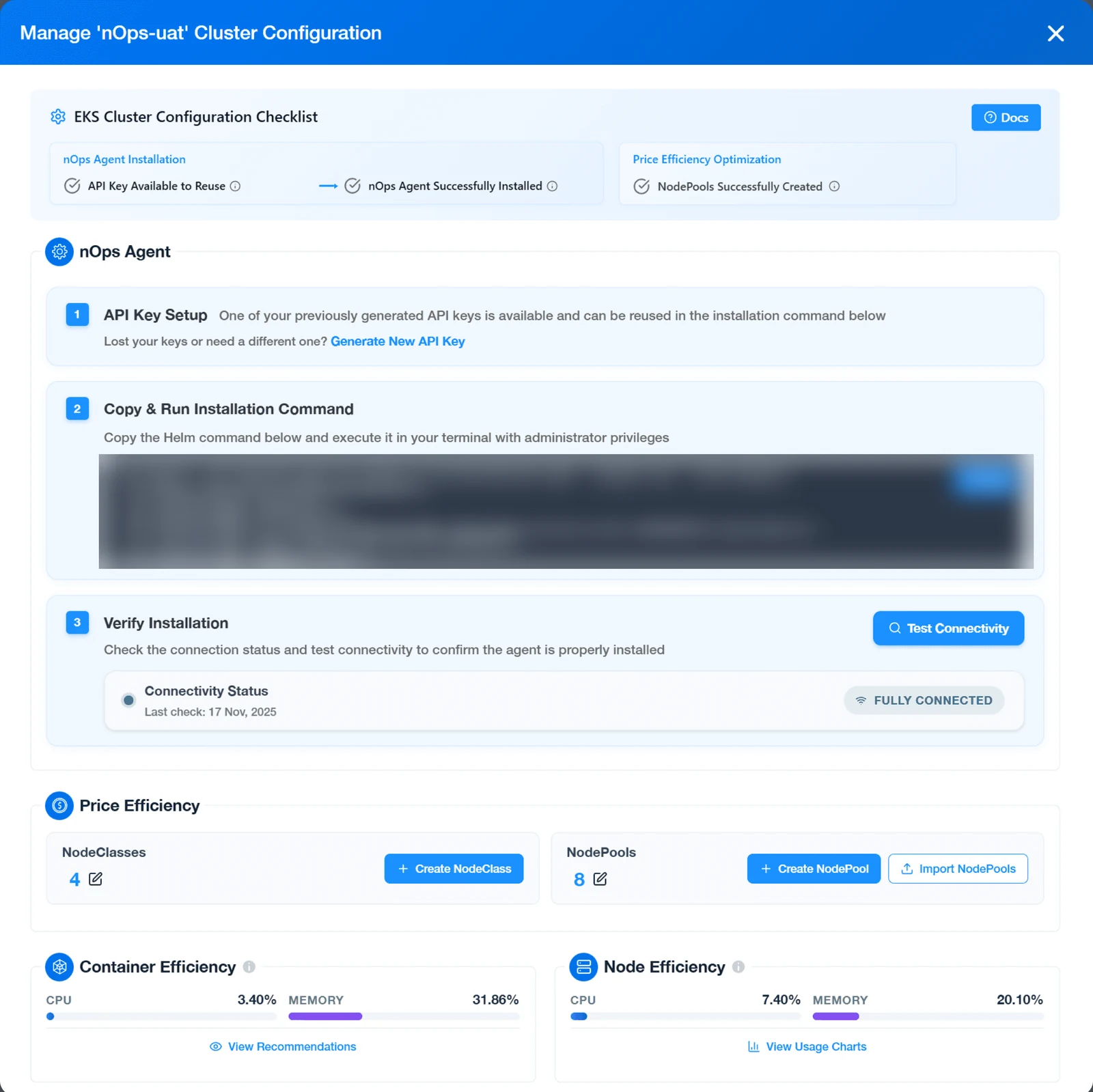
- 01One command to copy and run
- 02A test that says it’s connected
- 03Node pools imported in one click
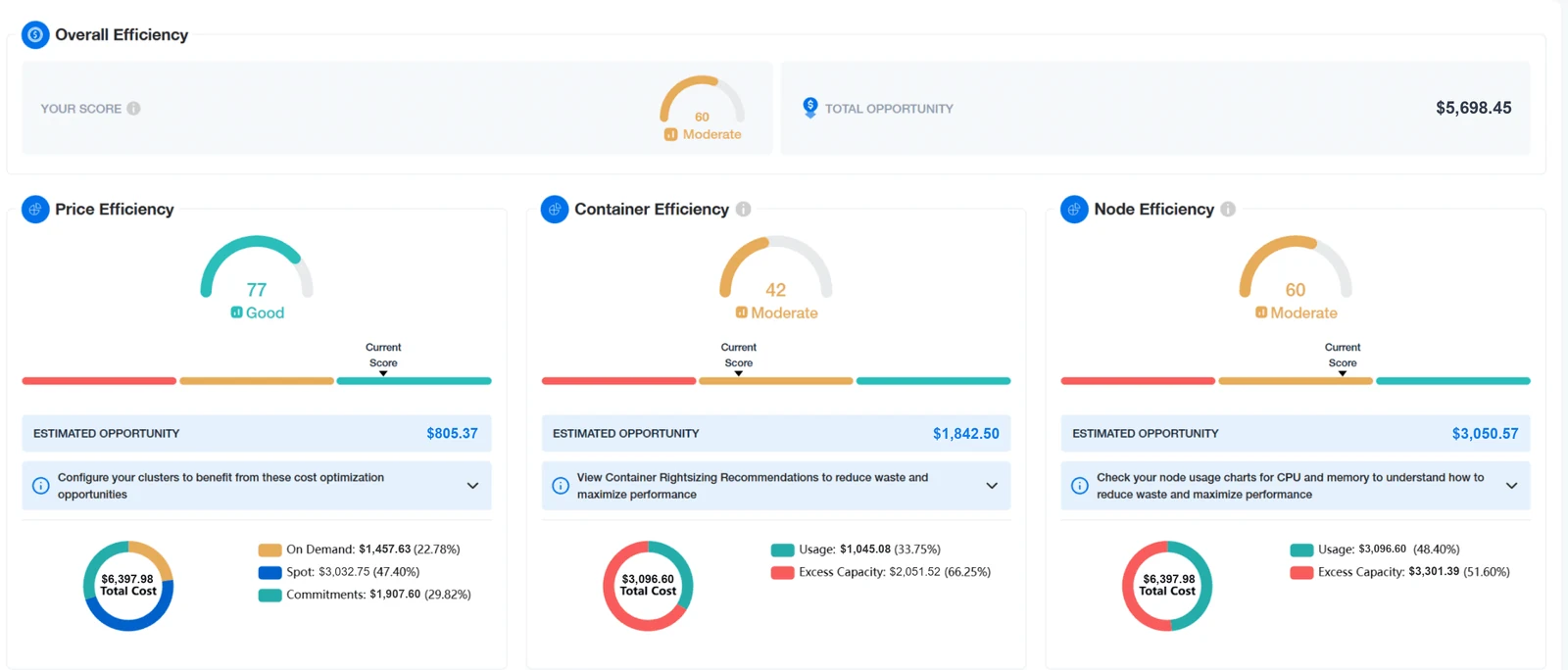
How do you show waste so a team acts on it?
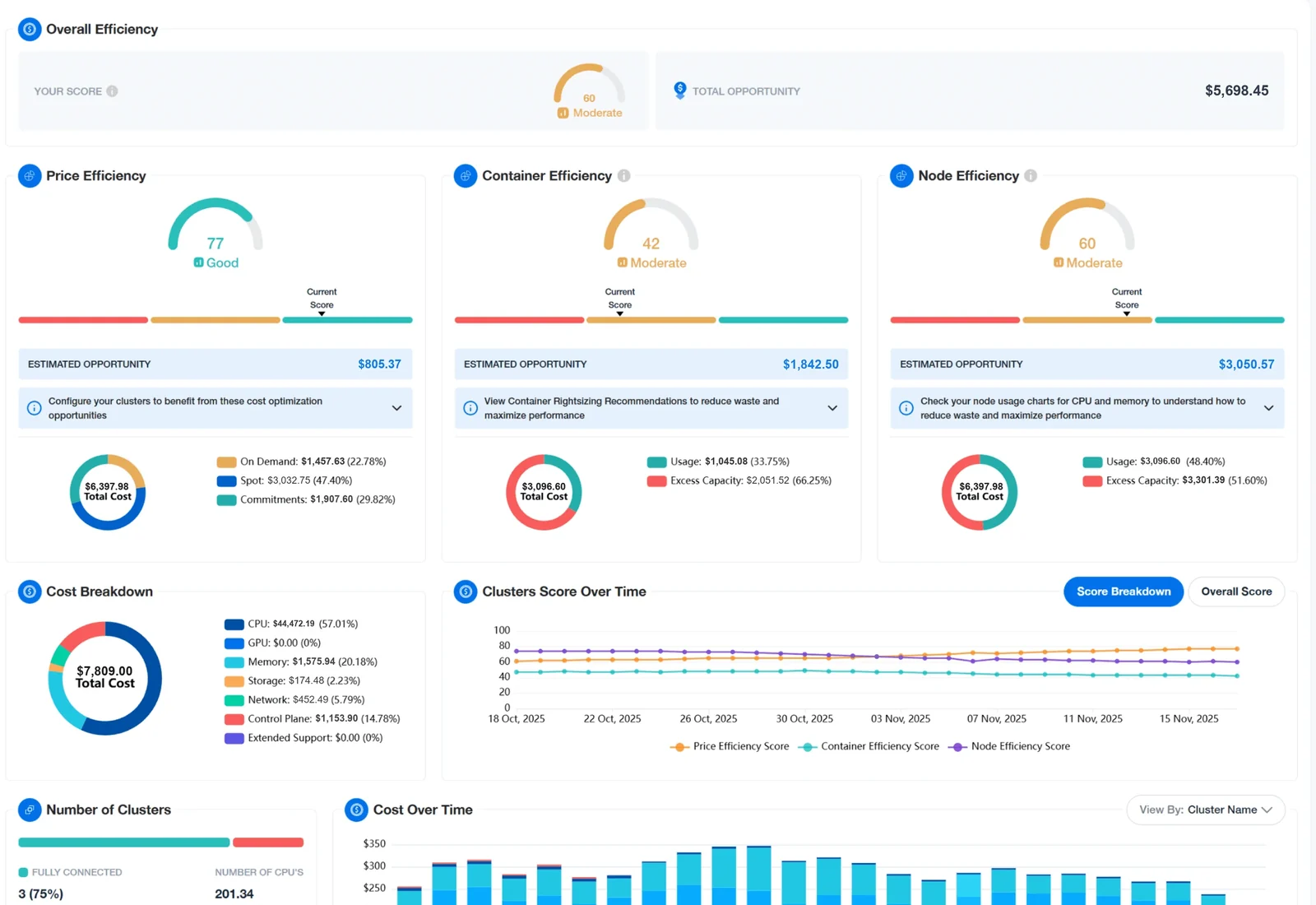
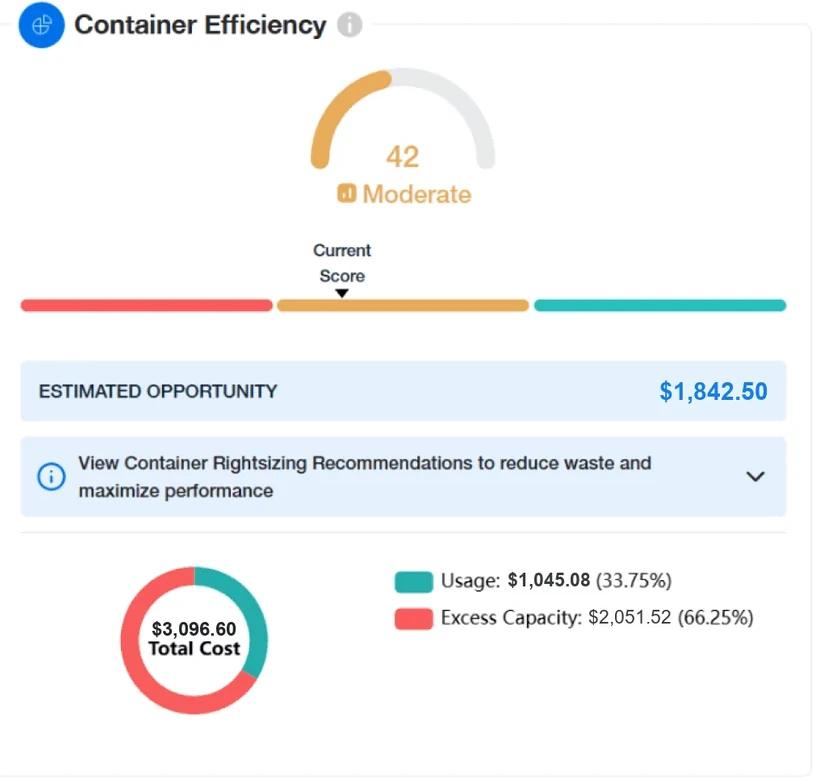
Three scoresover Raw numbers
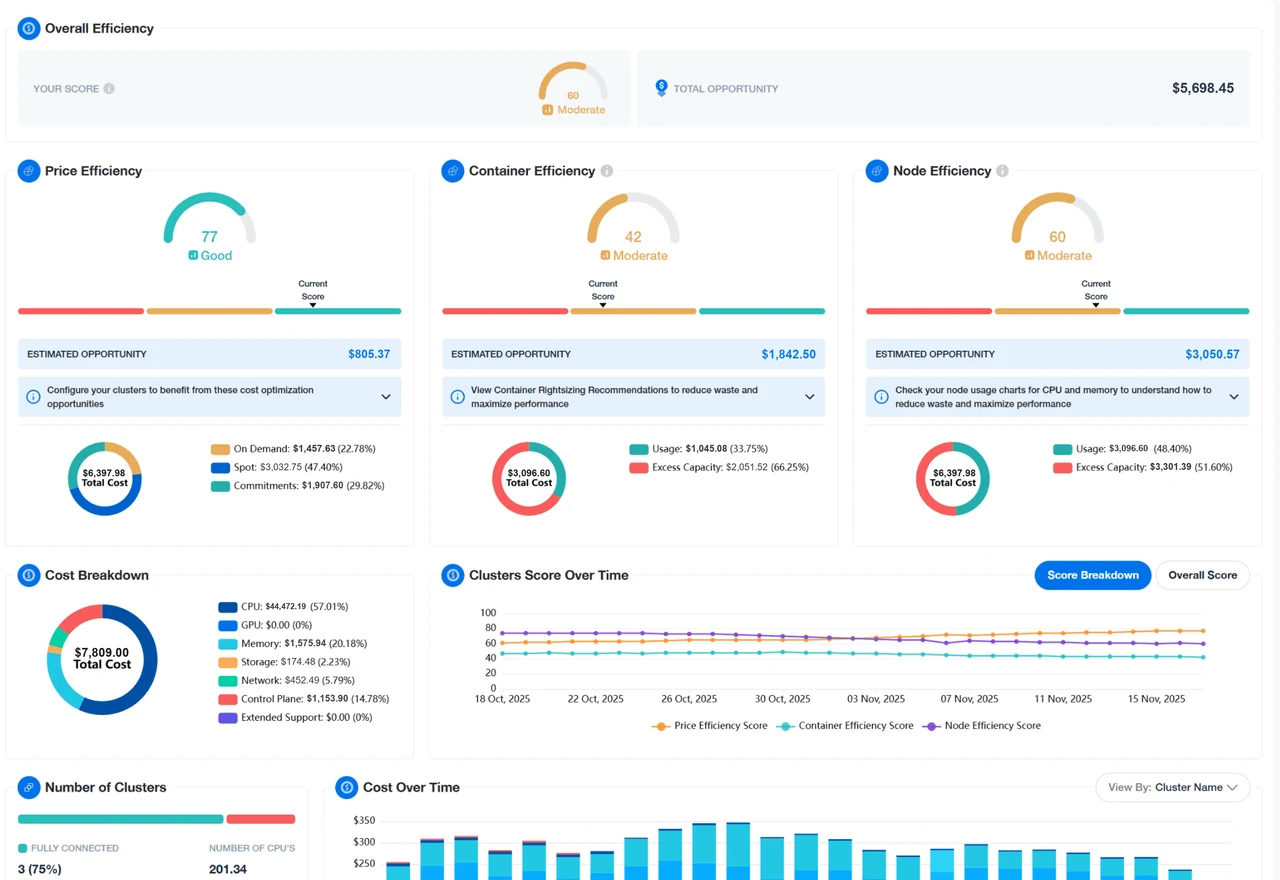
Three simple scores for every cluster (price, container and node), each with the money at stake and the next step to take.
- Gave up
- Every score needs its breakdown one click away.
- What happened
- The scores replaced the numbers-only page in March 2025.
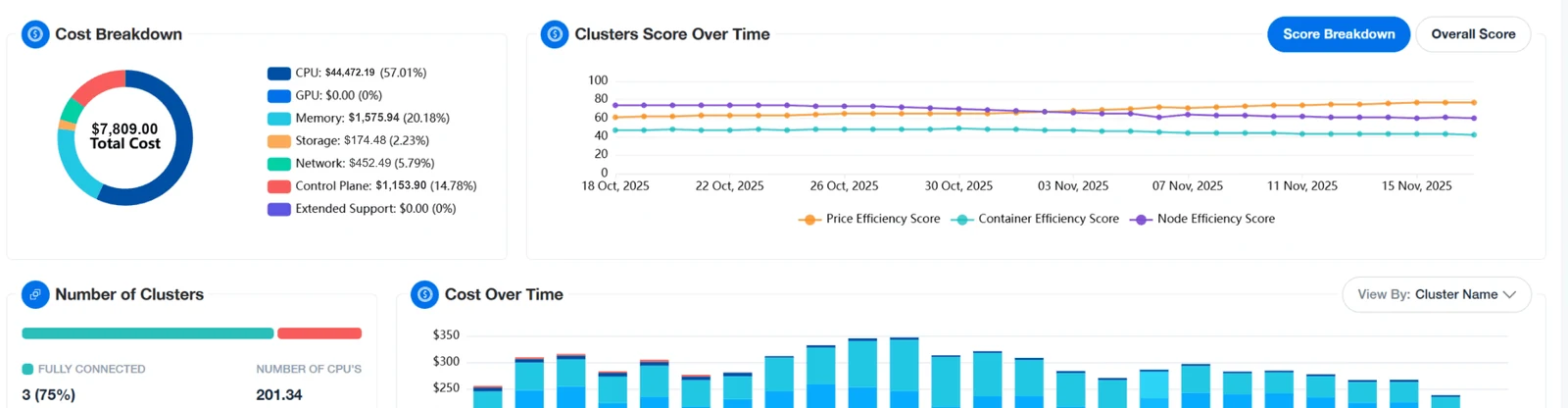
Layers · EKS Insights
The new page in its layers, from one score down to each cluster’s cost. Pick a layer to enlarge it.
Should nOps’ fee sit next to the savings?
Fee beside every savingover Fee on the invoice only
Every saving shows nOps’ fee beside it, so customers always see what they keep. A team decision; I designed how it reads.
- Gave up
- The headline number is smaller.
- What happened
- nOps’ rule since 2023. My 2025 summary page puts the fee beside every saving.
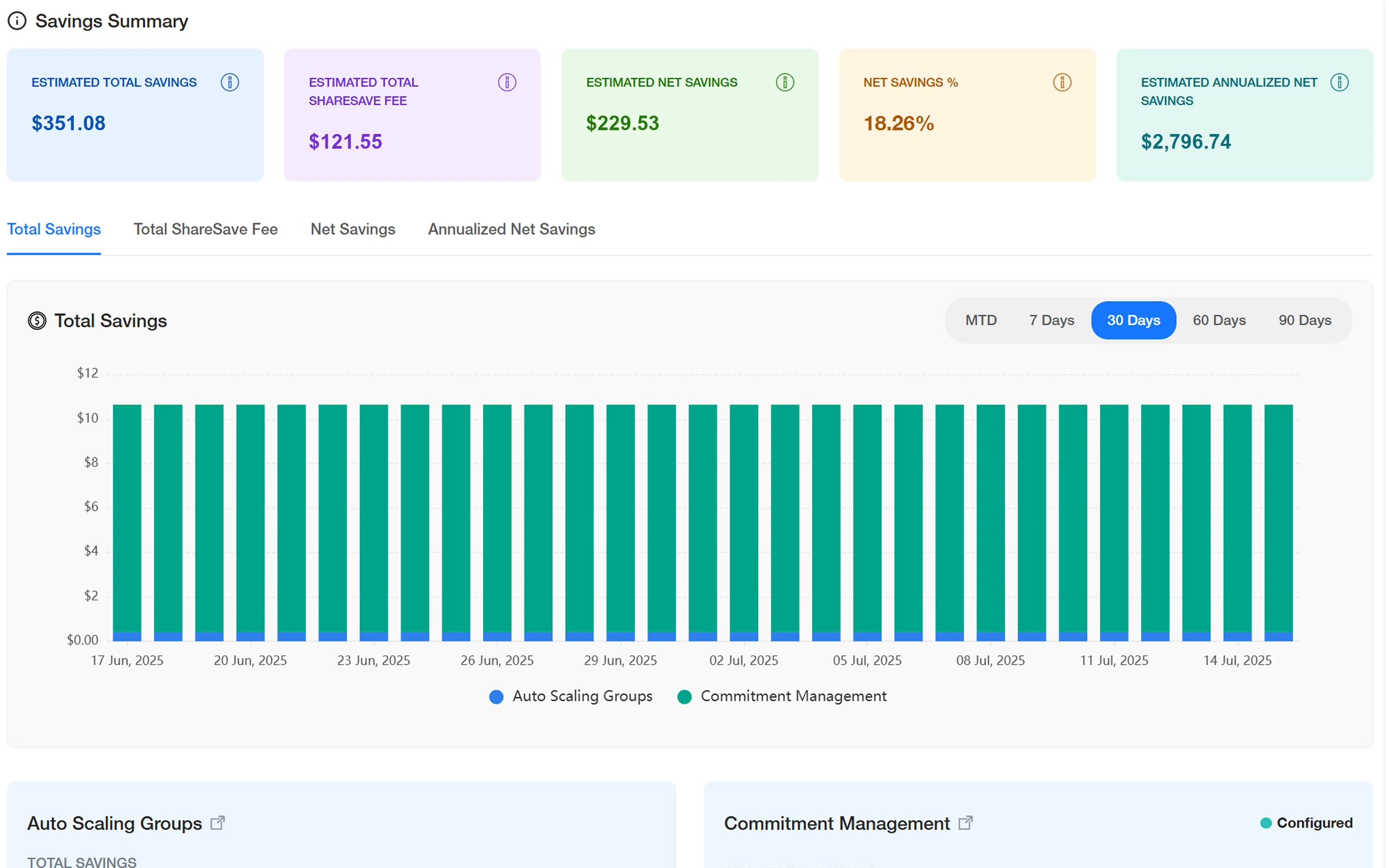
- 01nOps’ fee beside the saving
- 02What the customer keeps
What shipped6 parts
- 01Guided setup
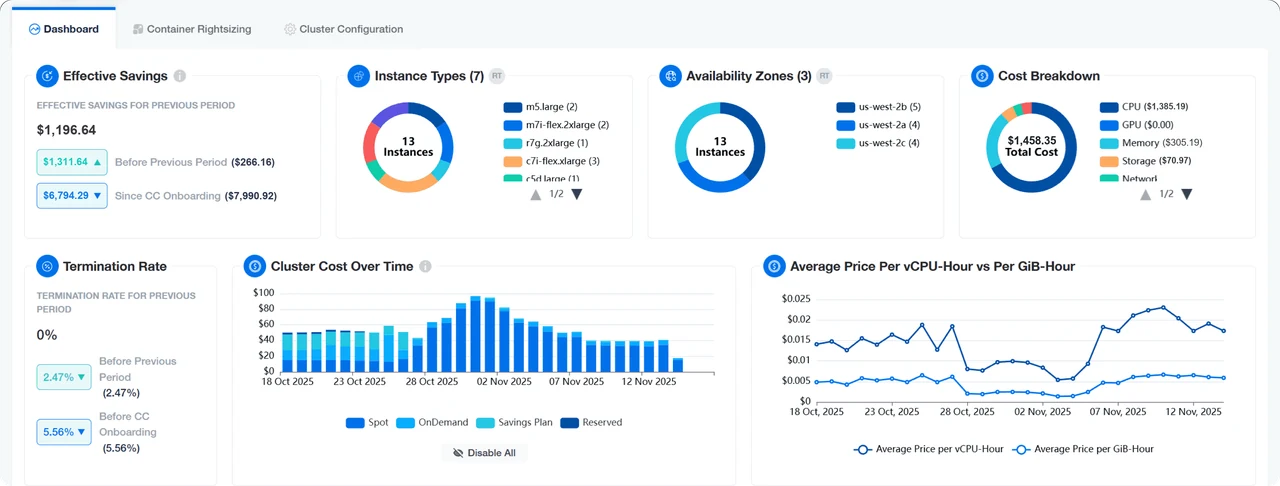
- 02Savings dashboards
- 03Cost per app and team
- 04Scores with next steps
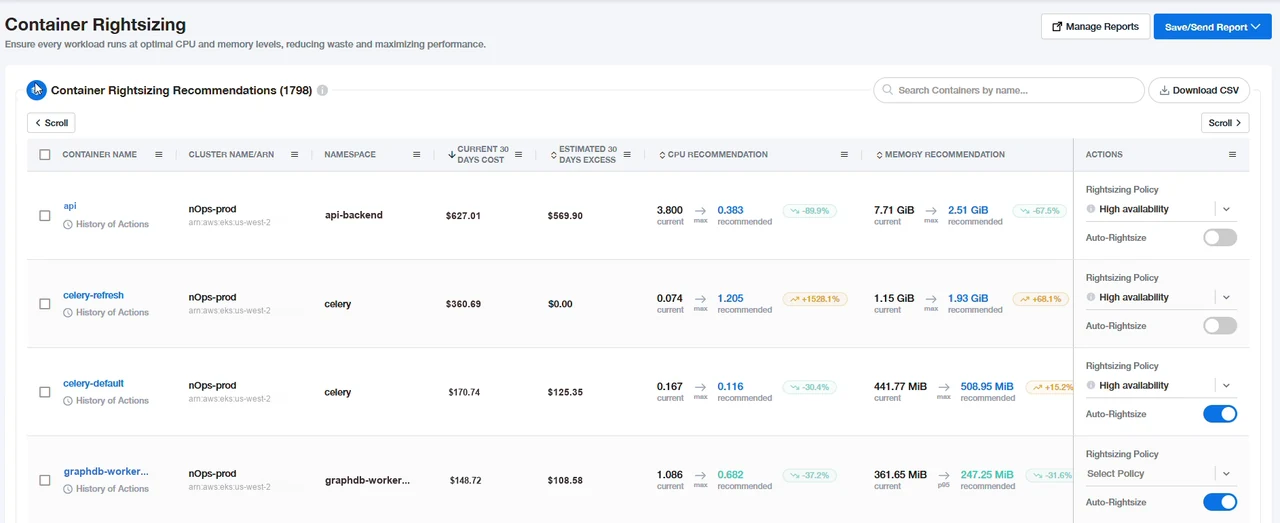
- 05Rightsizing with undo
- 06Fee beside every saving
// 05 Shipped
A setup experts finish alone, and a dashboard that shows the money
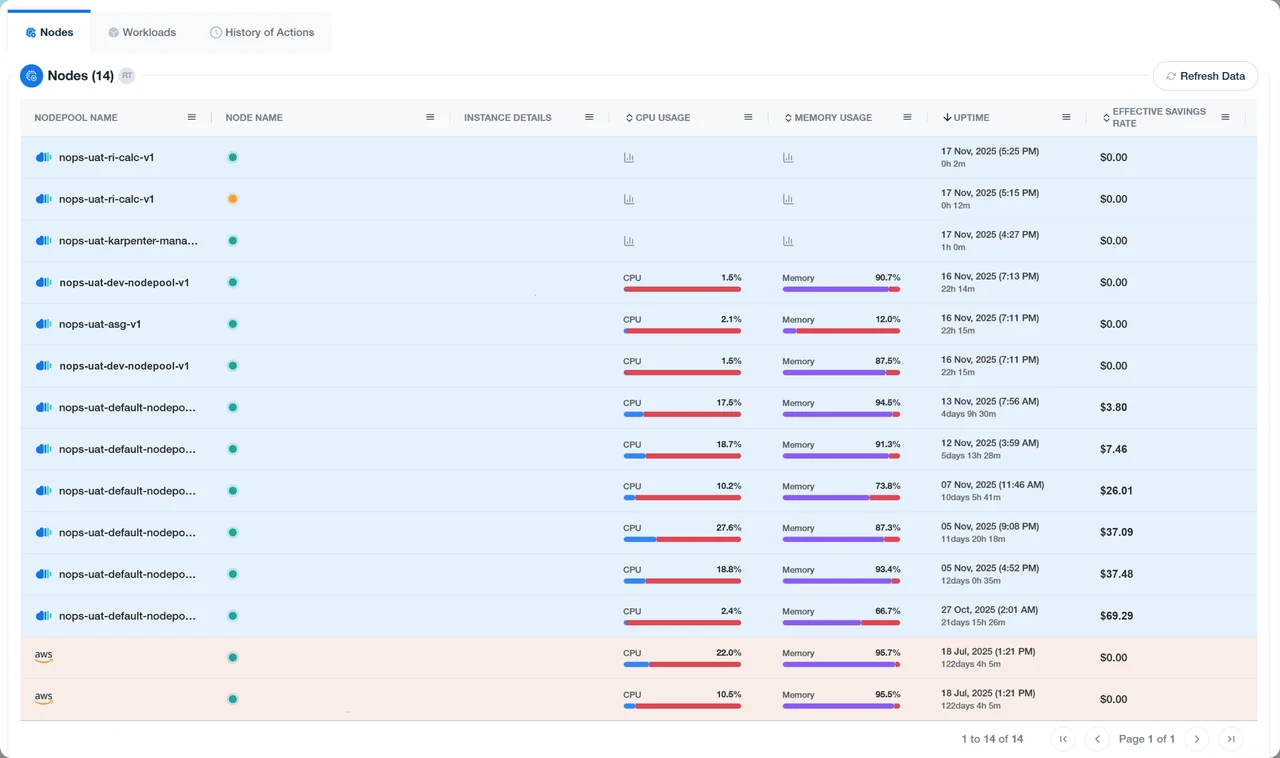
Connecting a cluster became a short checklist. The dashboard shows where each cluster’s money goes and what to fix next, and every rightsizing change can be undone in one click.
// 06 Impact
Up to 70% off EKS bills
- 70%
- lower EKS bills
- $2B
- a year of AWS spendReach
- 500+
- companies on nOpsReach
At most · nOps press release · Oct 2025
nOps press release · Oct 2025
nOps press release · Oct 2025
- Jun 2023First version, as nKS
- Nov 2023Compute Copilot for EKS
- Jul 2024Cluster dashboards
- Sep 2024Fee beside every saving
- Nov 2024Per-app cost view
- Mar 2025Scores, one-click undo
- May 2025Whole-cluster rightsizing
- Jul 2025One-line install
nOps says Compute Copilot cuts EKS bills by up to 70%. The savings belong to the whole team; my part was making the automation clear and safe enough to switch on.
Source · nOps press release, Oct 2025.
// 07 Reflection
What I learned
- 01Undo makes people brave. Once every rightsizing change could be reversed in one click, teams let the automation do more.
- 02Asking teams to install our software cost trust. I’d show the savings from their bill first, then ask.
- 03I’d build what our experts said on calls into the setup screens, so the call becomes optional.
“Show the money, then ask for the switch.”
// 08 Credits
Credits: the people who made it with me
- VP of Engineering
- The engineering team
- nOps’ FinOps experts
- nOps’ cloud solutions experts
Customer names stay private, and the figures on the screens are changed. Every number in the text is published.
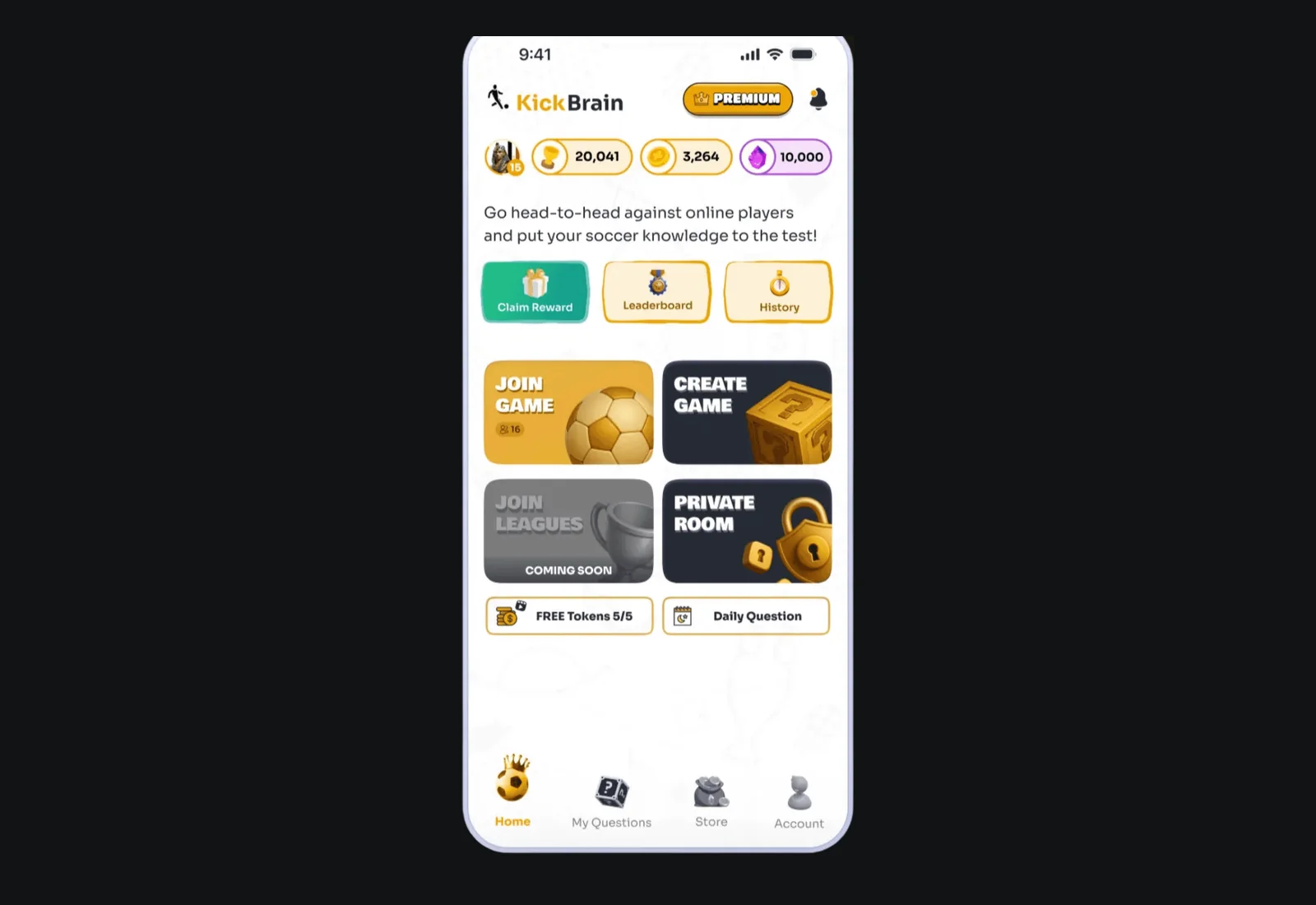
Next · 02 · KickBrain
From engineers trusting automation with their servers to football fans playing every night: the next story grew more than thirteen times.
From 40K to +550K downloads →